Key takeaways
- An assistant follows a person’s direction; an agent chooses steps toward a delegated goal.
- Prefer a predictable workflow when the steps are already well defined.
- Add autonomy only with appropriate permissions, evaluation and escalation.
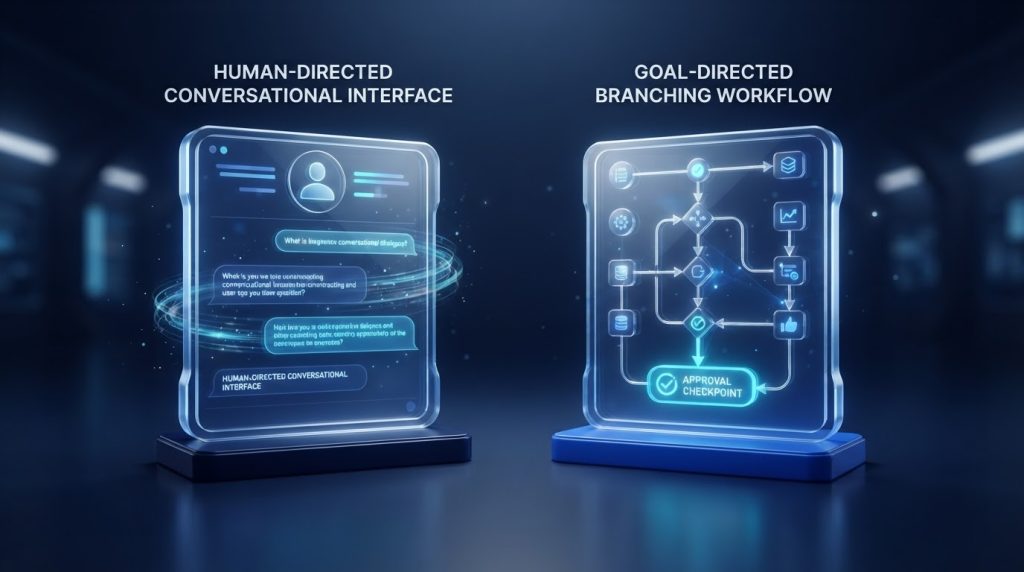
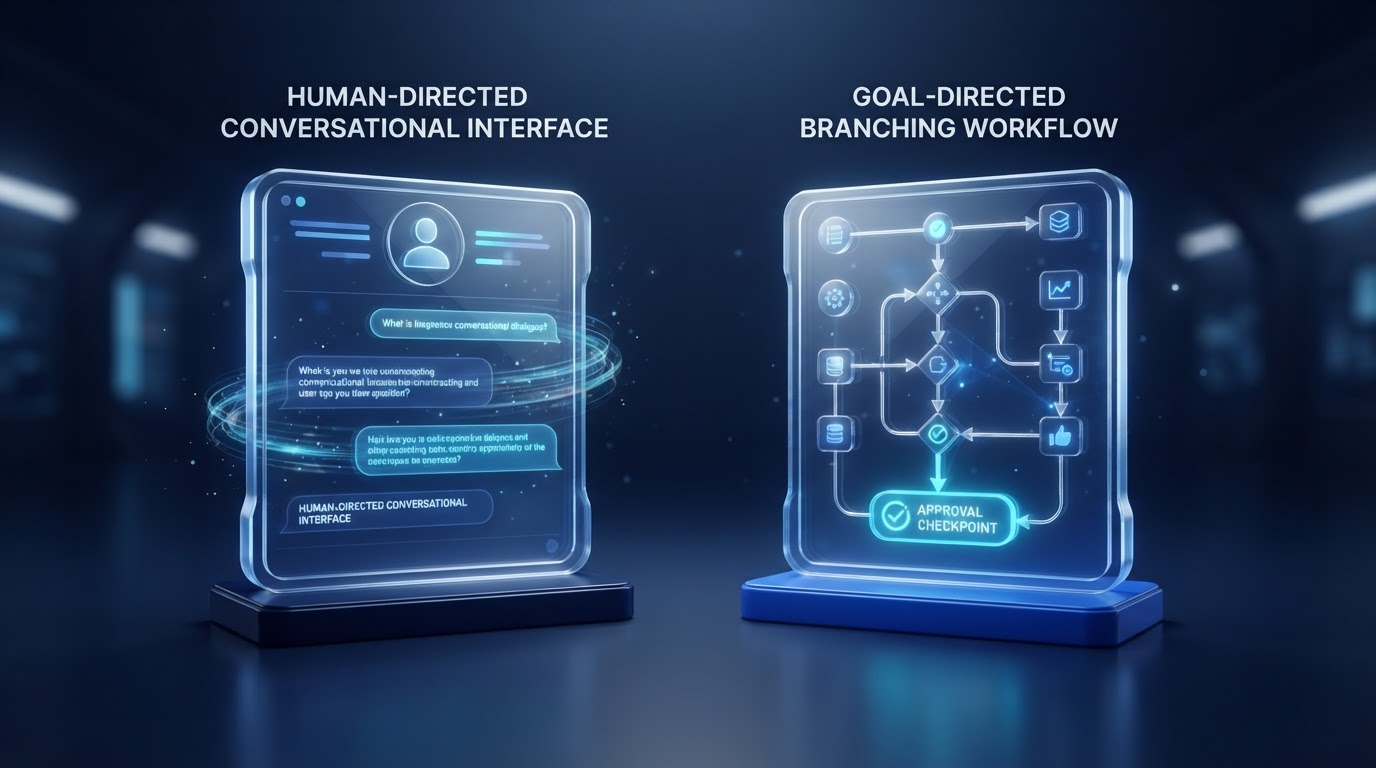
An AI assistant helps someone complete a task they direct. An AI agent can decide what steps to take toward an assigned goal and carry out permitted actions. In modern business applications, both can use business data and connected tools. The practical difference is who decides what happens next. [1]
Consider a support ticket. An assistant might read the ticket and draft a reply for a specialist. An agent might check the customer’s account, look for related incidents, and route the case based on what it finds. If the ticket just needs to go to a queue based on a dropdown selection, rules-based automation may be enough.
Before investing in an AI agent or assistant, identify what slows the workflow down, which decisions can be delegated, and what should still require human approval.
What Is the Difference Between an AI Agent and an AI Assistant?
An AI assistant normally works under a person’s direction. An employee might ask it to summarize a customer conversation, find the relevant policy, or draft a reply. An assistant can also take an action when asked and authorized. For example, it might create a follow-up task after a user confirms the details.
An AI agent receives a goal and can choose among available tools or steps to pursue it. Given a goal such as “triage new support cases,” it might check whether a case duplicates an existing incident, request missing details, or route it to a specialist. The agent’s access and authority still depend on how the organization configures it. It can pause for approval before taking a sensitive action. [1–2]
Vendor labels can overlap. When evaluating a product called an assistant, agent, or copilot, ask the vendor to show who initiates the work, who chooses the next step, and which actions the system can take without another instruction. [3–4]
| Decision factor | AI assistant | AI agent | Rules-based automation |
|---|---|---|---|
| Who chooses the next step? | A person directs the task. | The system chooses steps within defined limits. | The workflow follows predefined rules. |
| How can it act? | Suggests, drafts, or carries out an authorized request. | Uses permitted tools and pauses for approval when required. | Executes actions tied to specific conditions. |
| When is it a good fit? | People need help finding information, reviewing it, or preparing work. | The steps vary and a defined goal can be delegated. | The inputs and decision rules are predictable. |
| Example | Draft a response to a support ticket. | Investigate the ticket and route it based on the findings. | Route tickets marked “billing” to the finance queue. |
How AI Assistants and Agents Use Business Data
Both approaches can use a language model, retrieval from an approved knowledge base, and APIs that connect to business applications. Retrieval supplies relevant source material; it does not establish permission to read it or guarantee a correct answer. Tool access should enforce the user’s or system’s authorized scope. [1–2]
A useful distinction is between a predefined workflow and an agent that selects its next step. A workflow can include AI-based classification or summarization while keeping routing and approval logic fixed. Repeating several automated steps does not by itself make a system an agent.
Start with current, owned source documents and reliable records. Check access permissions, conflicting policies, integration availability, and the quality of identifiers such as customer or ticket numbers. If the team cannot establish which information is authoritative, resolve that gap before delegating decisions.
AI Agent and AI Assistant Examples for Business
The most useful comparison starts with a workflow your team already knows. These examples are illustrative; the permissions and approval points would depend on your systems and policies.
IT Service Desk: Processing an Access Request
An employee asks for access to a finance application. An AI assistant summarizes the request, retrieves the access policy, and drafts a reply asking for missing details. A service desk analyst checks the information and sends the reply.
A rules-based workflow routes a completed request to the application owner when the application, role, and manager fields are present. It follows the same approval path each time those conditions are met.
An AI agent takes a goal such as “prepare this request for review.” Depending on what information is missing, it selects the next step: it might check the employee directory, look up which team owns the requested role, and ask the requester to clarify an ambiguous application name. It can attach its findings to the ticket and route the case. The agent can do the investigation while an authorized person retains the decision to grant access.
Customer Support: Investigating a Delivery Issue
An AI assistant retrieves the delivery policy and drafts a response while a support representative checks the order. An AI agent can investigate within its permissions: check the order and shipment status, identify whether information is missing, and route the case based on what it finds. The business can still require human approval before issuing a refund or making a commitment to the customer.
Finance Operations: Handling Invoice Exceptions
An AI assistant can summarize a discrepancy between an invoice and a purchase order so an analyst can review it. An AI agent might check receiving records, identify the purchasing contact, and route the issue for review. A predictable rule, such as flagging every invoice above an approved threshold, can remain in the existing workflow. Payment approval stays with the authorized team.
When Should You Use an AI Assistant, an AI Agent, or Rules-Based Automation?
Start with an AI assistant when people need help doing the work and should retain judgment over the outcome. For example, if sales representatives spend time reading long account histories before calls, an assistant can prepare a briefing for them to verify. Give it access to the records it needs, and make it easy for the user to check the sources.
Pilot an AI agent when the goal is clear but the steps vary from case to case. For example, an agent preparing an IT incident for review may need different evidence depending on the system involved. Define which tools it can use, when it must stop, and who takes over when the available information is incomplete or contradictory.
Use rules-based automation when the decision is already written down and the input is reliable. If every completed request for a specific application goes to the same approver, a fixed routing rule is easier to test and explain. You can still add an assistant to help employees fill out the request or an agent to investigate exceptions.
A practical test: Can you write the decision as a reliable rule? If so, try the rule first. If the work calls for interpretation, decide whether a person should direct that work or whether the system can safely choose its next step.
Build Buy or Extend an Existing Platform
First check whether an existing business application can support the workflow with configuration and appropriate controls. A packaged assistant may be sufficient for information retrieval or drafting. A custom solution may be justified when the workflow crosses systems, requires specialized evaluation, or has permissions and approval needs that an existing product cannot meet.
Ask vendors to demonstrate the actual workflow using representative test data. Confirm how licensing and usage charges are calculated, where data is processed, what is retained, whether submitted data can be used for model training, and how access is revoked. Request evidence for permissions, approval handling, logs, and recovery rather than relying on an “agent” label.
What Does It Cost to Implement an AI Agent vs. an AI Assistant?
Compare the total cost of the workflow, including integration, model usage, security reviews, training, human review, and ongoing support. An assistant can still require substantial work if it needs access to fragmented or sensitive information. An agent that acts across systems adds another question: how will you test, monitor, and correct those actions? [2, 5]
For a support pilot, measure cost per correctly resolved case alongside resolution time, error rates, and escalations. A system that processes more tickets can still cost the team more if employees spend extra time correcting its mistakes. Compare both options against your current process before expanding the pilot.
Estimate cost per correctly completed task by dividing total delivery and operating costs for a defined period by the number of tasks completed correctly in that period. Include the time employees spend reviewing outputs, handling exceptions, and correcting errors. Define what “correct” means before comparing options; completed steps are not the same as successful business outcomes.
What to Test Before an AI Pilot Goes Live
Start with one workflow and assign a business owner. Record how the current process performs, then agree on what the pilot has to demonstrate. Include exceptions and failures in the test set alongside routine cases.
| Pilot check | What to demonstrate |
|---|---|
| Access and permissions | The system can use the records it needs and is denied access to restricted ones. |
| Human approval | Sensitive actions pause for an authorized person, who can see the evidence and reject the action. |
| Missing or conflicting information | The system asks for clarification or hands off the case instead of guessing. |
| Failure and recovery | If a connected system fails, the team can tell what happened, avoid duplicate actions, and recover or reverse changes where possible. |
| Audit trail | Reviewers can identify which tools the system used, which actions it took, and who approved them. |
| Business performance | The pilot meets agreed targets for quality, time, and cost without creating unacceptable errors or rework. |
Give the system only the access required for the pilot. Test controls in the connected application as well as in the AI interface: an instruction telling an agent to avoid a restricted action does not replace a permission that blocks it. [2, 5]
Protect Business Data and Limit Unintended Actions
Treat retrieved documents, messages, and web content as untrusted input. They may contain malicious instructions designed to redirect the system, a risk known as indirect prompt injection. Test whether the application follows those instructions, exposes restricted information, or attempts an unauthorized action. Restrict available tools and enforce access and approval checks outside the model. [2, 5]
Name an operational owner who can investigate failures and stop the system. Record material actions and approvals while applying appropriate protection and retention to logs. Recheck permissions and evaluations when models, instructions, connected tools, or source content change.
How to Run and Measure a Focused Pilot
Select one workflow with a named owner and a measurable baseline. Begin in a sandbox or read-only mode where practical, then introduce limited actions after testing. Use representative cases, including ambiguous requests, denied access, duplicate events, and partial system failures.
Agree on acceptance criteria for task correctness, inappropriate actions, escalation quality, completion time, user adoption, and cost per successful task. Keep the comparison period and task mix consistent. Review a sample of outcomes manually; a system reporting success is not evidence that the business task was completed correctly.
Expand only when the evidence meets the agreed criteria and the team can support the system. If quality or control requirements are not met, narrow the scope, retain more human review, or continue with an assistant or fixed workflow.
Frequently Asked Questions
Is an AI agent the same as a chatbot?
A chatbot describes how users interact with a system: through conversation. It can answer from a fixed set of options, act as an assistant, or provide access to an agent. To understand which you’re using, look at what happens after the message: does the system reply, carry out a specific instruction, or choose steps toward a broader goal? [4, 6]
Can an AI assistant update records?
Yes. An assistant can update a record when a user directs it to do so and the system has permission. That single action does not make it an agent. Ask whether the system is carrying out a specific instruction or deciding which actions are needed to achieve a delegated goal. [1, 4]
Can a business use an AI assistant and an AI agent together?
Yes. An employee might use an assistant to submit and check a service request, while an agent gathers missing information and prepares the request for review. Define a clear handoff so the team knows which system can read records, which can change them, and who owns exceptions.
Does an AI agent always need human approval?
Approval should depend on the action and its consequences. An agent may be allowed to categorize a ticket automatically while requiring approval before granting access, issuing a refund, or making a sensitive change. The pilot should test that these approval rules work when the agent encounters unusual cases. [2, 5]
Do businesses need clean data before implementing an AI assistant or agent?
They need information that is suitable for the selected workflow, with clear ownership, access controls, and a way to resolve conflicting or obsolete records. Start with a bounded set of reliable sources rather than waiting for every enterprise data issue to be fixed. Test whether gaps cause incorrect answers or actions.
How should a business measure an AI agent pilot?
Compare task correctness, inappropriate actions, escalations, completion time, and total cost with the existing process. Include review and rework effort. Establish acceptance thresholds before testing and use representative cases. Approve wider deployment only when business performance and controls both meet those thresholds.
Choose the Right Level of Autonomy for Your Business
Pick one workflow and identify the bottleneck. If people spend too much time finding information or drafting routine work, start with an assistant. If the steps are predictable, automate them with rules. If the path varies and the outcomes can be tested, pilot an agent with narrow permissions and clear approval points.
Intelecox AI Consulting & Strategy and Generative AI & LLM Solutions teams can help you evaluate where AI fits. Contact Us to discuss the workflow you want to improve and what a pilot should prove.
Sources
[1] IBM — AI Agents vs. AI Assistants
[2] Microsoft Learn — Least Privilege for AI Agents
[3] VERTU — AI Agent vs. AI Assistant
[4] UnifyApps — AI Assistant vs. AI Agent
[5] Microsoft Learn — Reduce Autonomous Agentic AI Risk
[6] Salesforce — AI Assistant: Meaning, Uses & Benefits
Connect the next step with the right expertise
Explore related Intelecox services and discuss the scope, dependencies and delivery support your organization needs.
Discuss your requirements